Product Rules
Note: In this section, the term "parameters" is equivalent to the term "options" visible in the UI.
General Information
A Product Rule creates a dependency between several parameters, so that when the value of a parameter is modified- by the user, by another rule, etc. (trigger condition), other parameters are updated in conjunction.
Type
Choose the type of rule depending on the logic needed to obtain the correct parameter behavior:
- Compatibility: In this type of rule, any parameter can be a trigger, and all the others are impacted.
- Chain: Parameters are ordered; changes are propagated only top-down but not upwards.
Scope: Defines the scope of products for which this rule applies.
Can be either: - A list of Application Distributions
- Or a list of products within one or several Application Distributions
Rule Information
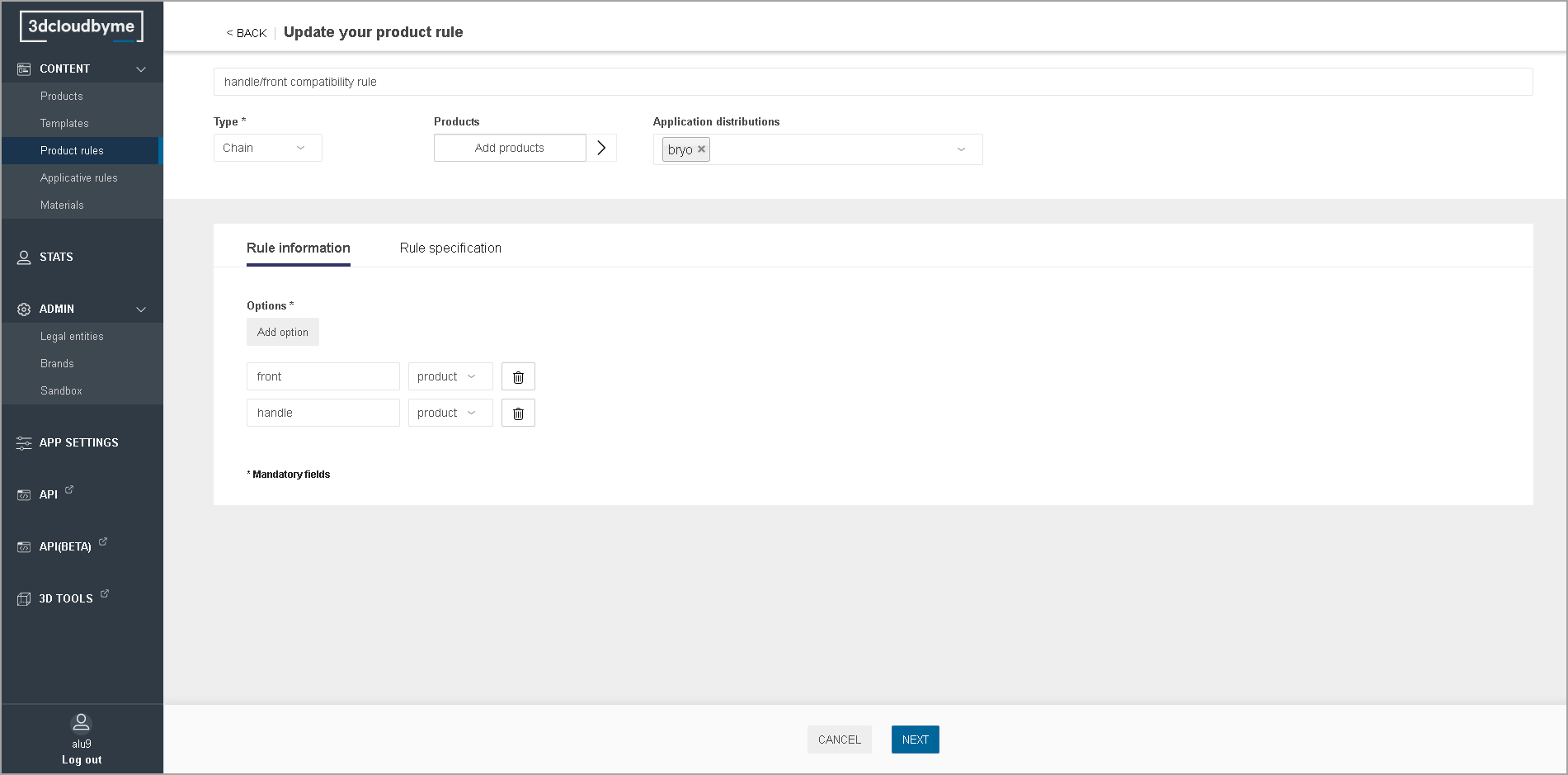
Defines the list of parameters linked by the rule,
and their order if the rule is a "Chain".
Rule Specification
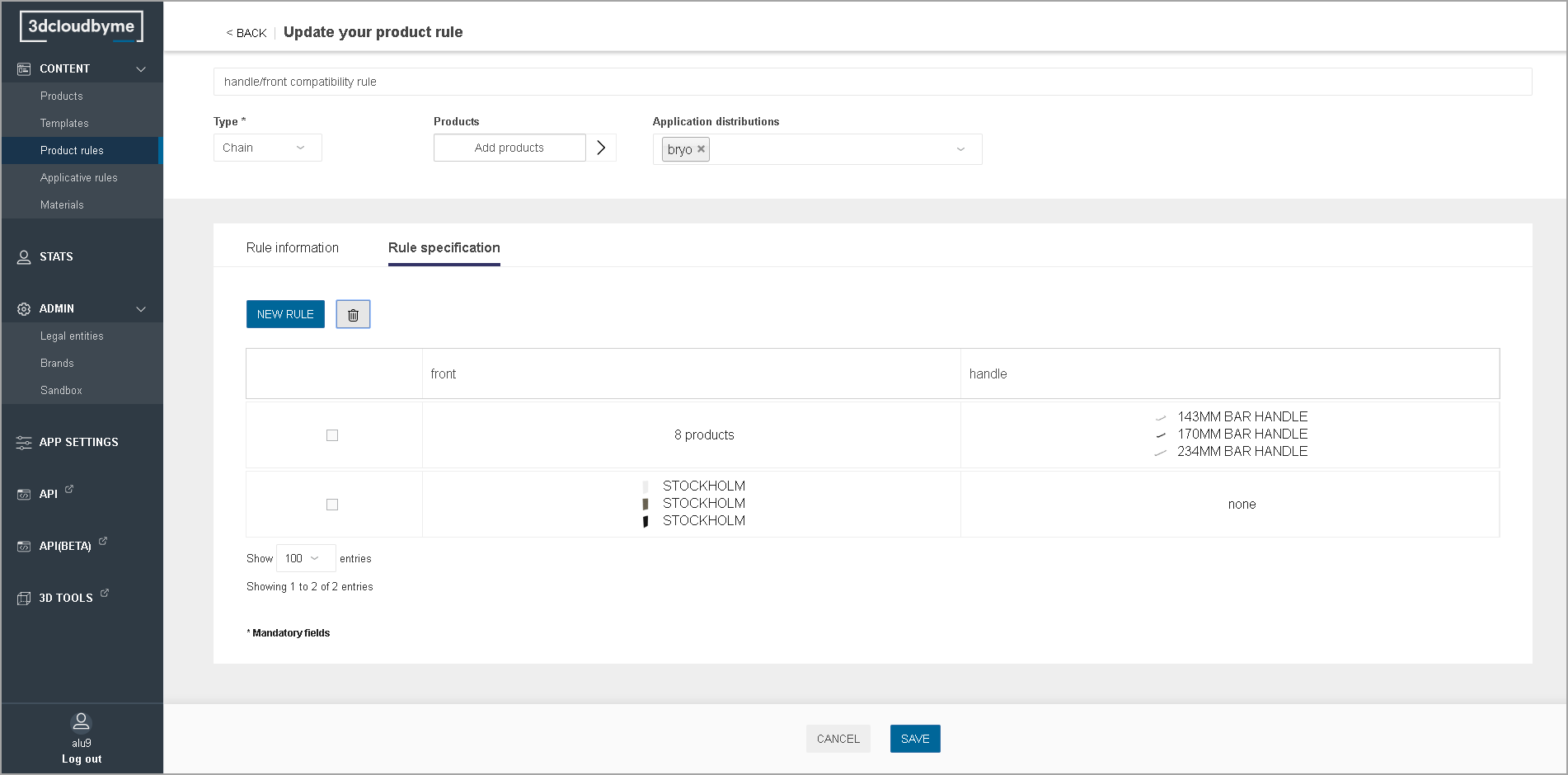
The rule is specified by several conditions. The example below should be read as:
- For any product in the "bryo" application distribution,
- If the "front" parameter has a value within the list of 8 fronts of the first condition, then the list of possible values for the handle parameter are the list of 3 handles visible on the right;
- If the "front" parameter has a value within the list of three fronts of the second condition, then the list of possible values for the handle parameter become empty.