Set Up the Pricing
❗️ Pricing has a strong dependency with the Application Distribution parameters🔗.
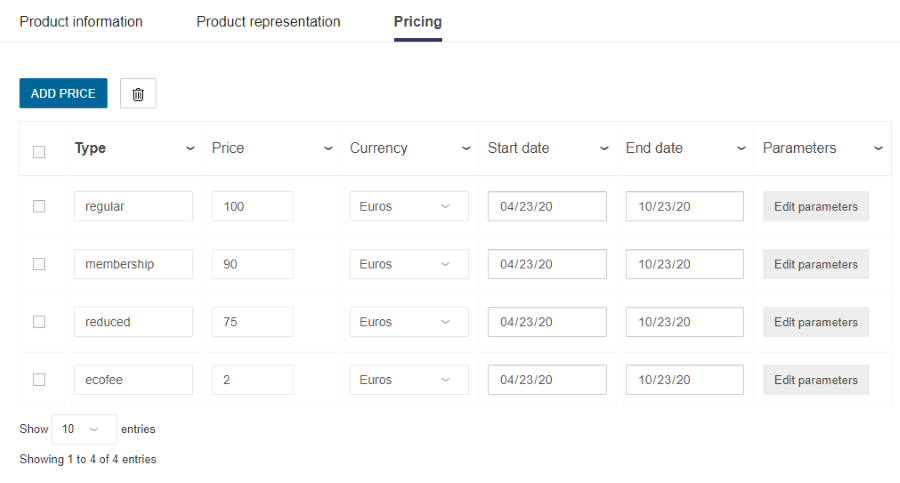
Each product and article of the catalog can be detailed with one (or several) price. The Pricing tab in 3DCloud contains a table where prices can be specified, each row corresponding to one type of price.
A distinction must be made between component-products and product-assemblies that are both products in 3DCloud and in the catalog and that can both priced or not.
When pricing a product that is an assembly of other products, the final price of the product depends on the value of the application distribution parameter priceTopAssembly of the pricingOptions object 🔗.
- If the parameter is set to 'true' then, both the assembly and the sub-component products count in the final price.
- If the parameter is set to 'false' then, the final price is computed with the sub-component products and without the price of the top assembly.
For example in the case of a drawer and handle sub-assembly: If 'true', the calculation will be drawer price + handle price + sub-assembly price. If 'false, the calculation will be drawer price + handle price.
Pricing Table
To set up a price, specify the table in the Pricing tab.
| Column | Description |
|---|---|
| Type | Select one of the type described above. |
| Price | Enter any number above 0, including decimal numbers. This is the price excluding taxes of the product. |
| Currency | Select in the drop-down list the currency in which the price is expressed. |
| Start date / End date | Enter or pick-up a date in the calendar to specify the period of validity of the price: ▪️ The start date can be the date of the day or a later date if you want to postpone the validity period. ▪️ The end date must be later than the start date, but can be empty. Outside this range, the price will not be applied. If both fields are empty, the date range will be infinite and the price always valid. |
📌 Dates are formatted according to the language defined in the application distribution. For every country, there is a language locale(s) 🔗. For example: en-GB is for Great Britain (English), FR-fr for France (French). The currency is inferred from the locales used in the application.
Pricing Types
There are four types of pricing: "regular", "membership" or "reduced". These types are strings that you have to specify when adding a price (use camel case).
| Pricing Type | Description |
|---|---|
| regular | This is the price of the product without any discount. |
| membership | This is a variant of the regular price for a discount for members. |
| reduced | This is a variant of the regular price with a discount excluding membership. |
📌 Pricing types cannot be mished to create a new price: e.g. a membership discount canot be applied to a reduced price to create a specific price.
Display the Price in the Planner
These pricing methods are used to display prices at different times to the customer:
- The price of each catalog item
- The price of the project during the planning
- The price of the whole project in the final card
Catalog Browser
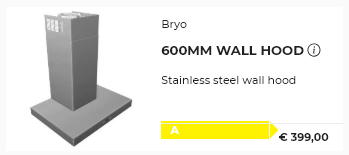
The price displayed on product cards in the catalog correspond to the price set on the product in 3DCloud.
For assembly products, the price displayed is the price set on the top-assembly only.
Project Price
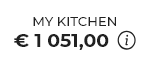
The project price is the sum of all priced products inserted in the current project: any single product, assembly products, articles (e.g dampers), linears, etc.
Assembly products are priced by summing up the prices of every sub-products that are a component of the assembly.
The project price is displayed at several different places in the planner and is updated to reflect your current step in the application.
Pricing Default Styling
The planner comes with a default styling for prices.
➡️ See Customize Brand Settings for detailed information on how Brands override the default pricing styling.
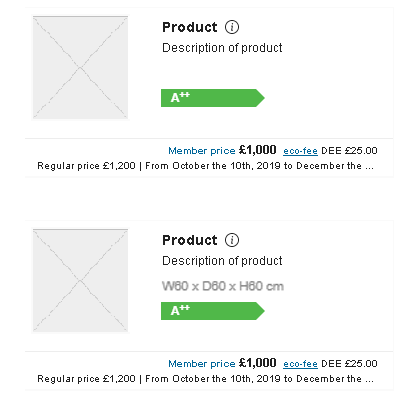
Product Price
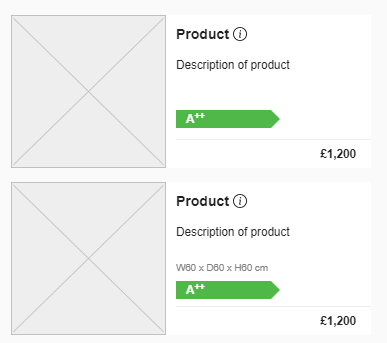
Standard Price
Displayed when no products of the projects have a discounted price.
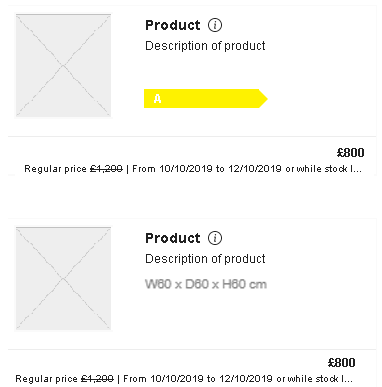
Reduced Price
Displayed when at least one product has a reduced price and when no product has a membership price.
Membership Price
Displayed when at least one product has a membership price.