
Assembly Editor Reference
What is Assembly Editor?
Assembly Editor is the tool used by Range Managers to create and modify BMA files, the asset format of the ByMe platform for product assemblies.
Assembly Editor key features are:
- Assembly creation
- Adding / removing components
- Component positioning (absolute or via expressions)
- Management of component publications
- Management of animations / kinematics
- Management of anchor points (possible positions of components in editable furniture)
- Management of output sets
Note:
The components referenced in an assembly are ByMe Products - and not plain BM3 / BMA assets.
How to access Assembly Editor?
https://staging-assembly.enterprise.by.me
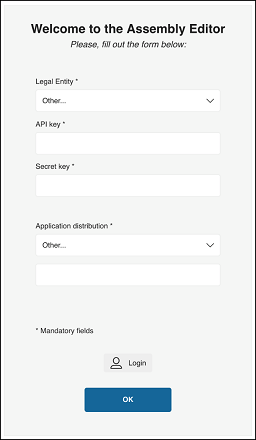
To get authentication and access Assembly Editor tool, the user can either:
- Enter API key + Secret Key of its legal entity
- Log in with a 3DCloud account credentials
The user also has to enter the application distribution so that the environment of the assembly to be done is completely set. Consequently, the user will only be able to insert components from catalogs that are connected to the same application distribution.
User Roles
There is a single user role in Assembly Editor.
User Interface Language
Assembly Editor is in English.